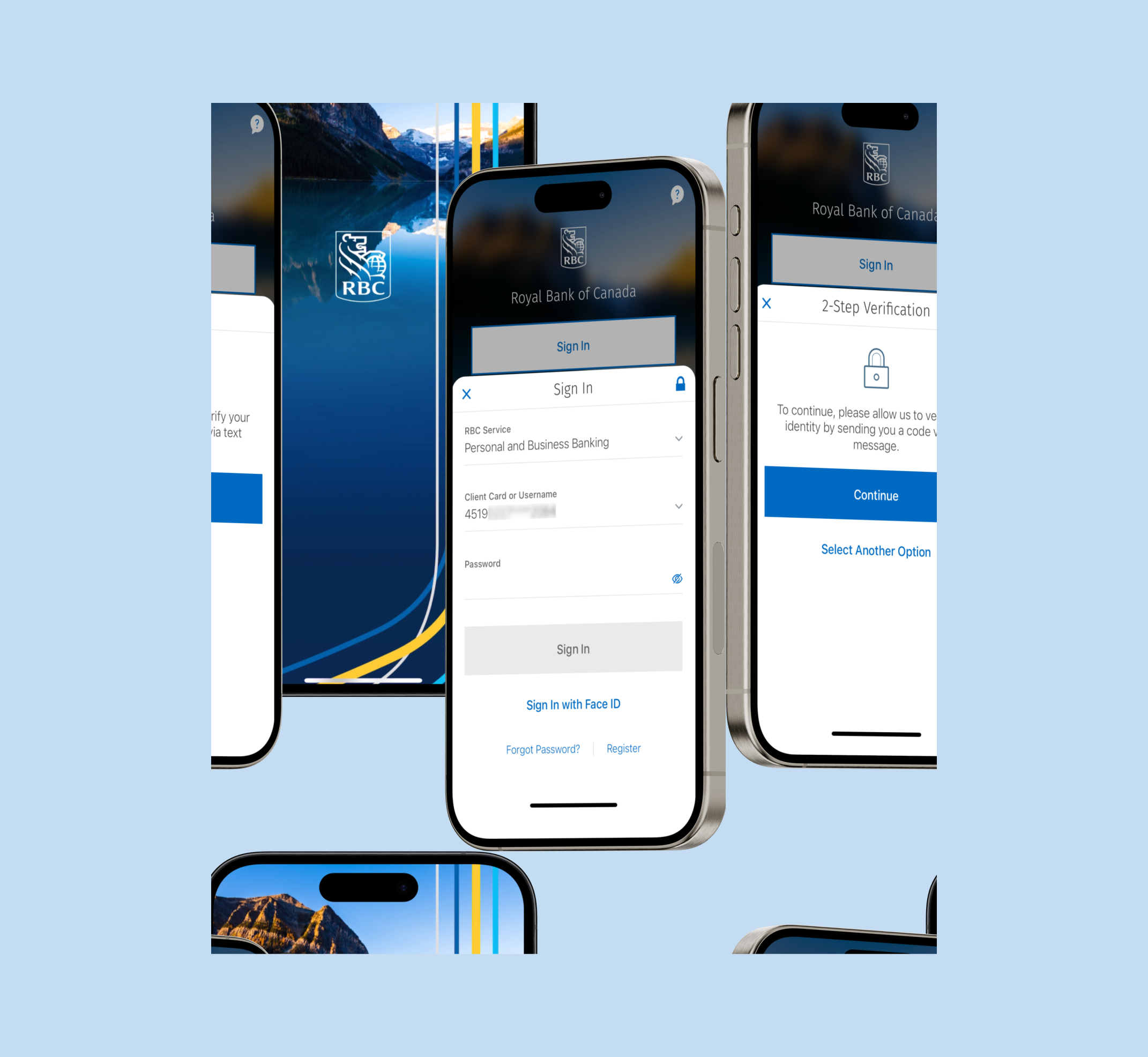
RBC is one of Canada's largest banks, with over 20 million users. On the mobile experience, users must be protected from financial loss; two-layered security is crucial when logging in to accounts and ensuring proper authentication.
Problem and Solution
We noticed a spike in online fraud at RBC, which is putting users' sensitive personal data at risk. Fraudsters have easy access to collect banking details or take over their accounts. To protect users, 2FA offers an additional layer of security to verify that the user is the account's owner and not just someone who knows the correct password.
Problem and Solution
We noticed a spike in online fraud at RBC, which is putting users' sensitive personal data at risk. Fraudsters have easy access to collect banking details or take over their accounts. To protect users, 2FA offers an additional layer of security to verify that the user is the account's owner and not just someone who knows the correct password.
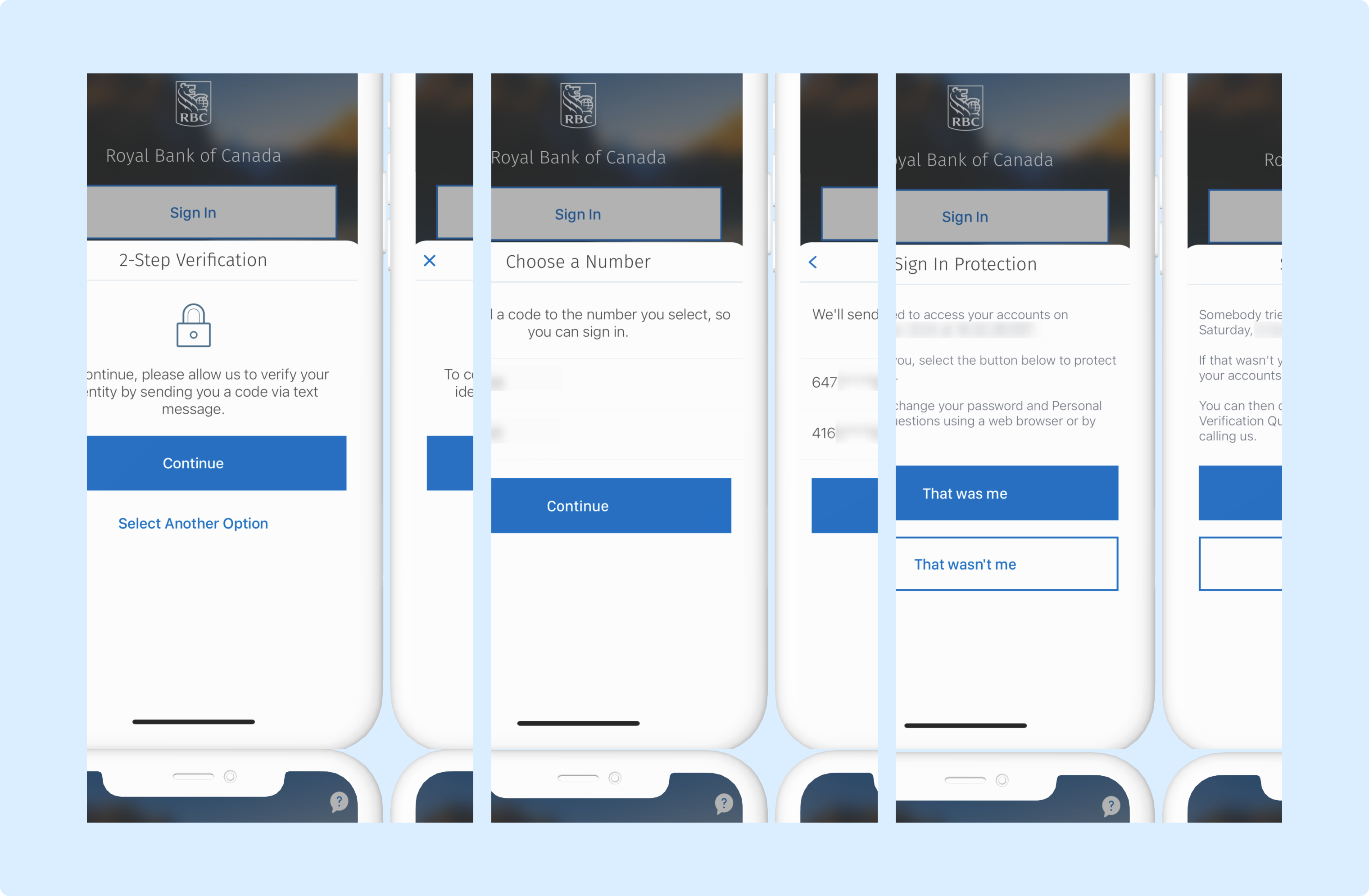
First-time 2-step verification users will need to verify their identity. In this case, the user receives text messages on their mobile with a one-time verification code, and after inputting the code, they will confirm if they signed in from another device.
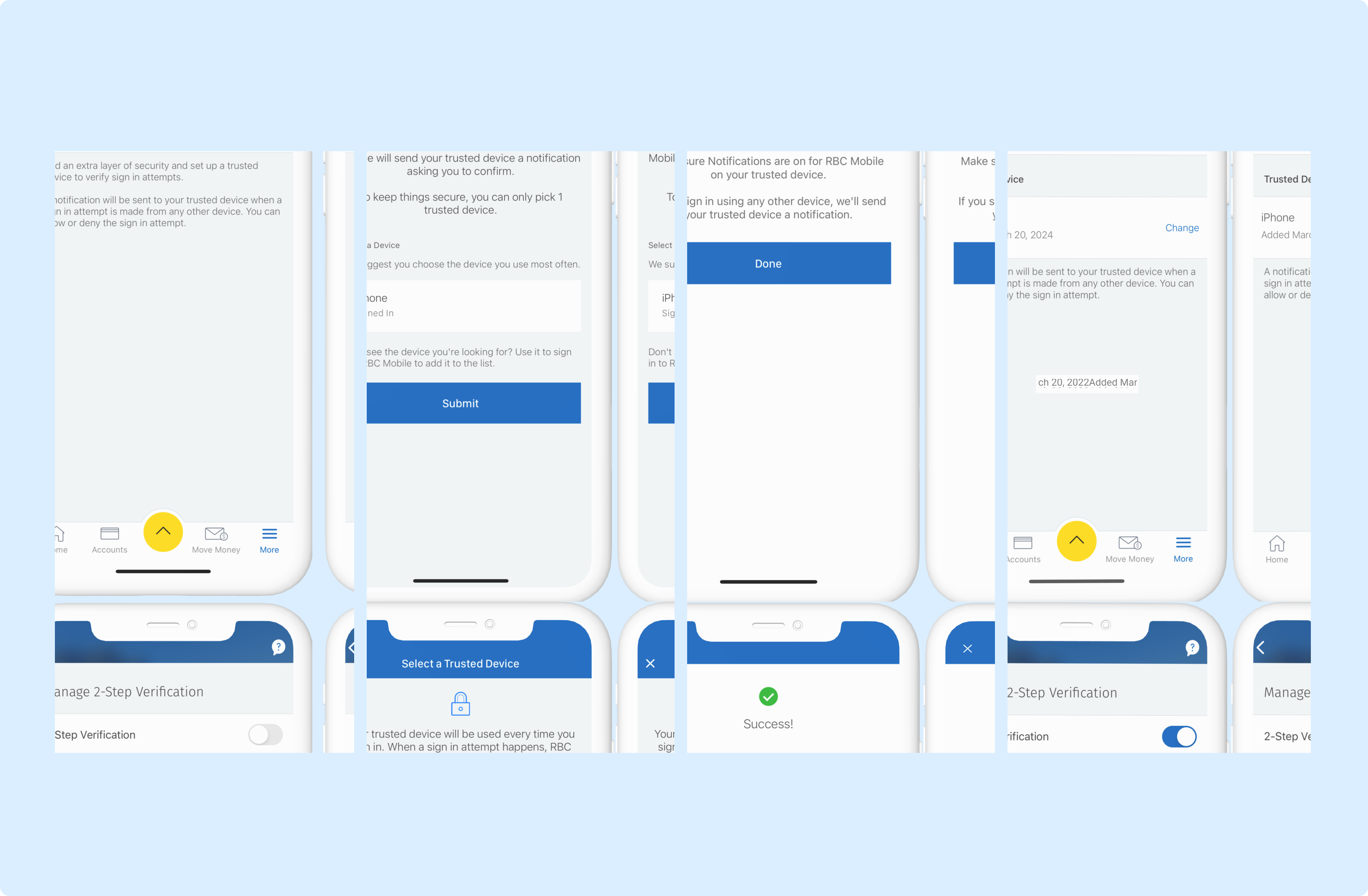
Activating the toggle button initiates 2-Step Verification, revealing your Trusted Devices for selection. To alter your chosen device, tap "Change" beside its name and pick another from the list.
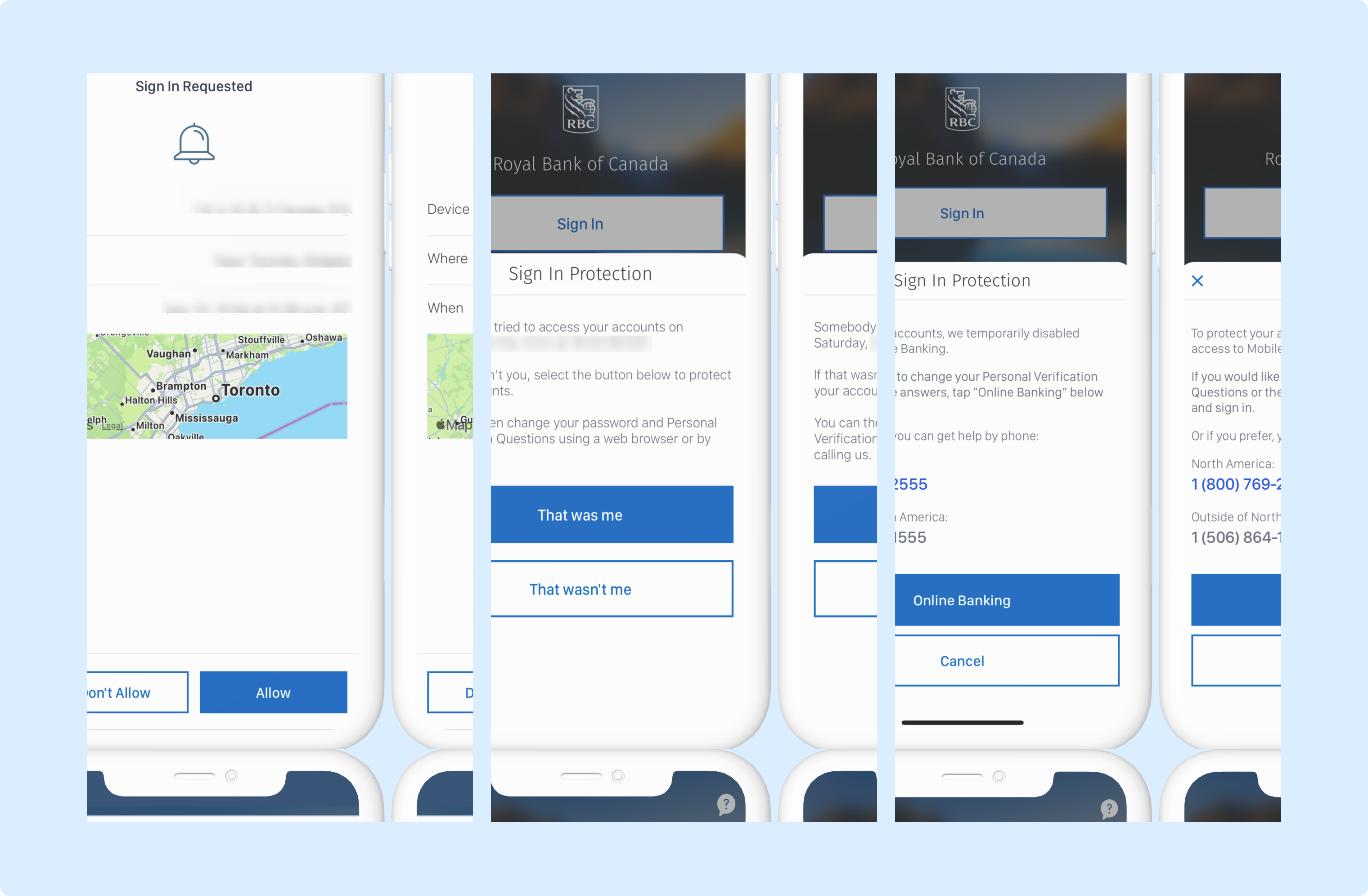
If the person trying to sign in is not you, you can contact RBC to prevent them from accessing your account.